
Saguaro Hours for Jira
Weekly timesheets, lead approval and billable reports for Jira Cloud.
It is for teams that log time in Jira and need three things Jira does not give them: a weekly timesheet per person, a team lead who signs it off, and a report of billable hours.
Price: free for up to 10 users. Above 10 users, each band of users has its own monthly price: $2.00 per user for users 1 to 100, $1.50 for users 101 to 250, and $1.00 for users 251 to 1,000. Billing goes through Atlassian.
Status: submitted to the Atlassian Marketplace on 2026-11-03 and waiting for Atlassian's approval. To hear the day it is live, email support@everformat.com with the subject "Saguaro launch".
Price compared with Tempo
Monthly list prices in US dollars for a whole Jira site. Both apps are billed for every user on the Jira license, and both charge each band of users at that band's rate.
| Jira users | Tempo Timesheets per month | Saguaro Hours per month | Difference per month |
|---|---|---|---|
| 1 to 10 | $10.00 | Free | $10.00 |
| 11 | $65.89 | $22.00 | $43.89 |
| 50 | $299.50 | $100.00 | $199.50 |
| 100 | $599.00 | $200.00 | $399.00 |
| 250 | $1,230.50 | $425.00 | $805.50 |
| 500 | $1,728.00 | $675.00 | $1,053.00 |
| 1,000 | $2,723.00 | $1,175.00 | $1,548.00 |
Work out your own numbers: Tempo cost calculator.
How the figures are built, using 500 users as the example:
| Band | Users in band | Tempo rate | Tempo amount | Saguaro rate | Saguaro amount |
|---|---|---|---|---|---|
| 1 to 100 | 100 | $5.99 | $599.00 | $2.00 | $200.00 |
| 101 to 250 | 150 | $4.21 | $631.50 | $1.50 | $225.00 |
| 251 to 1,000 | 250 | $1.99 | $497.50 | $1.00 | $250.00 |
| Total | 500 | $1,728.00 | $675.00 |
Source for Tempo: Tempo's public price list on the Atlassian Marketplace (https://marketplace.atlassian.com/rest/2/addons/is.origo.jira.tempo-plugin/pricing/cloud/live , last changed 2026-10-13) and https://www.tempo.io/pricing/jira-time-tracking , both read on 2026-11-03. Tempo charges a flat $10.00 a month up to 10 users. Tempo's published annual totals for 500 and 1,000 users ($17,280 and $27,230) are 10 times the monthly figures above. Saguaro's prices are as entered in its Marketplace listing, which is waiting for approval. Check the sources for current prices. More detail: how Jira app pricing works and Saguaro Hours as a Tempo alternative.
What it does
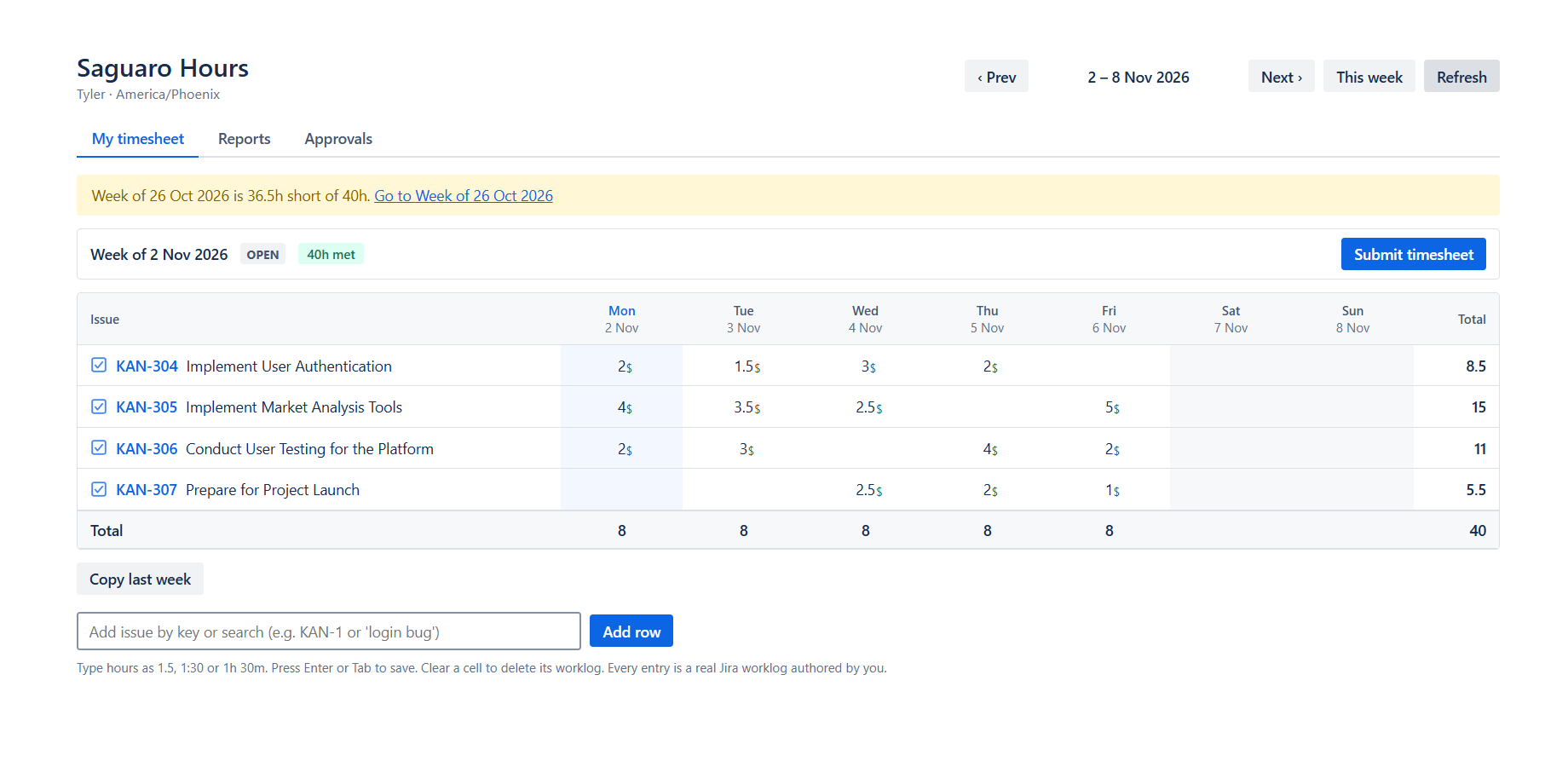
A weekly grid that writes normal Jira worklogs
Rows are issues and columns are days. Type 1.5, 1:30, 1h 30m or 90m in a cell. Each entry is a normal Jira worklog written as the signed-in user, so Jira's Work log tab and worklogAuthor searches keep working. Copy last week adds last week's rows, without hours. A chip shows the hours still short of the required hours.
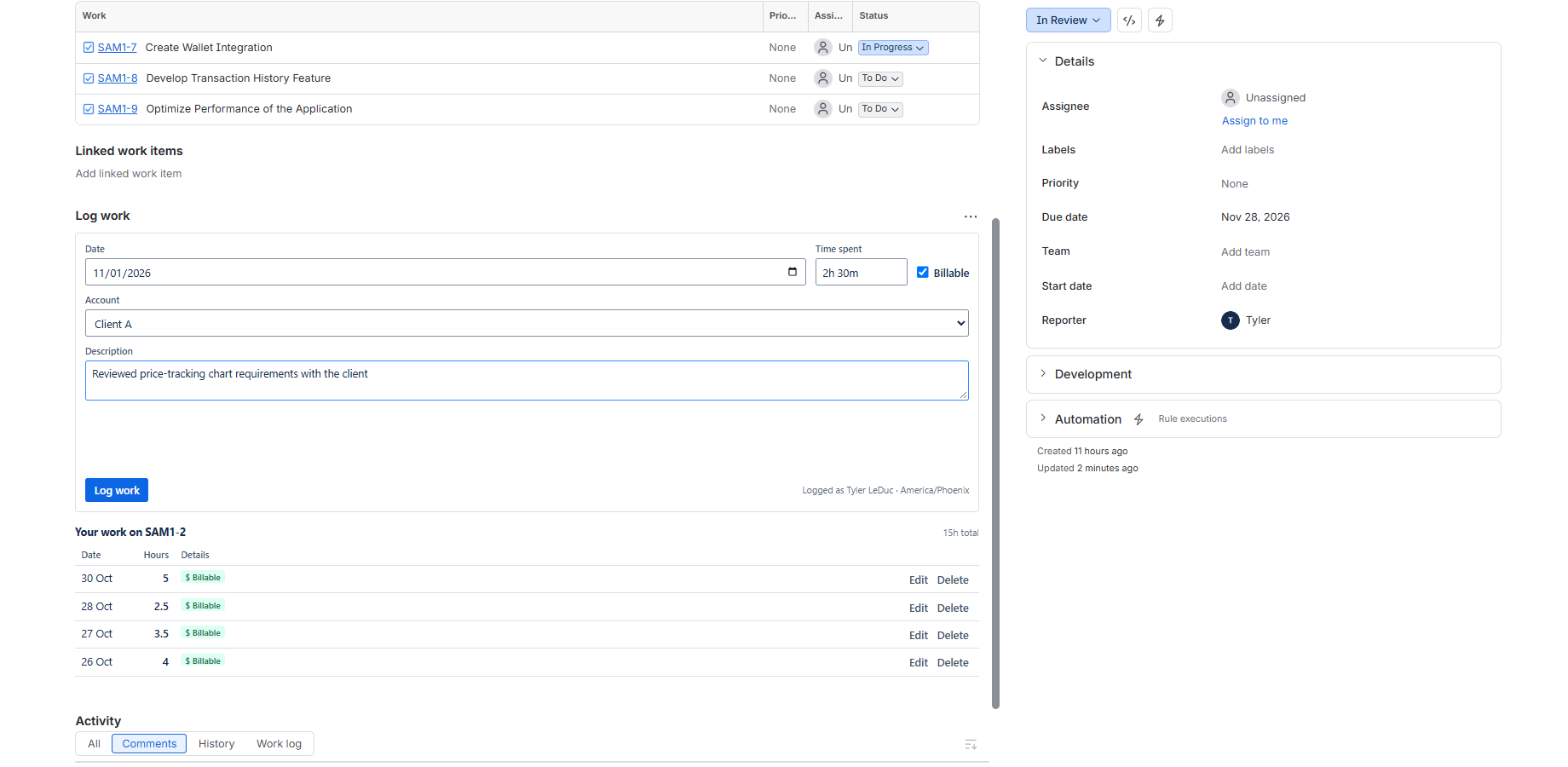
Log work from the issue
A Log work panel on each issue has the date, time spent, a billable box, your own attributes and a description. Your entries on that issue are listed under the form.
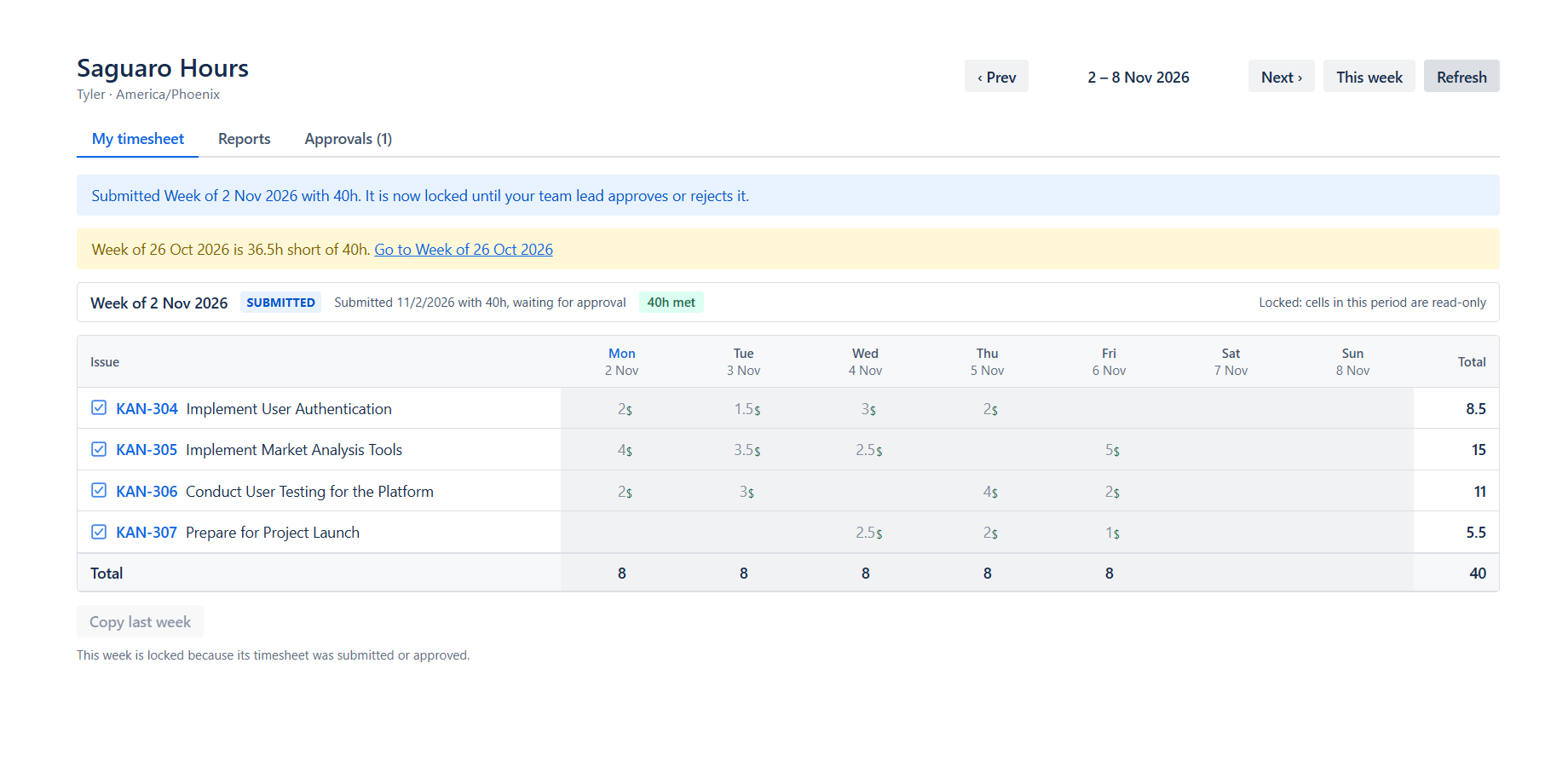
Submit a week or a month
The admin picks weekly or monthly periods for the site. Staff submit the period when it is done. A submitted period is read-only in the app. It stays locked once approved, and a rejection opens it again. A banner points to earlier periods that are short of the required hours.
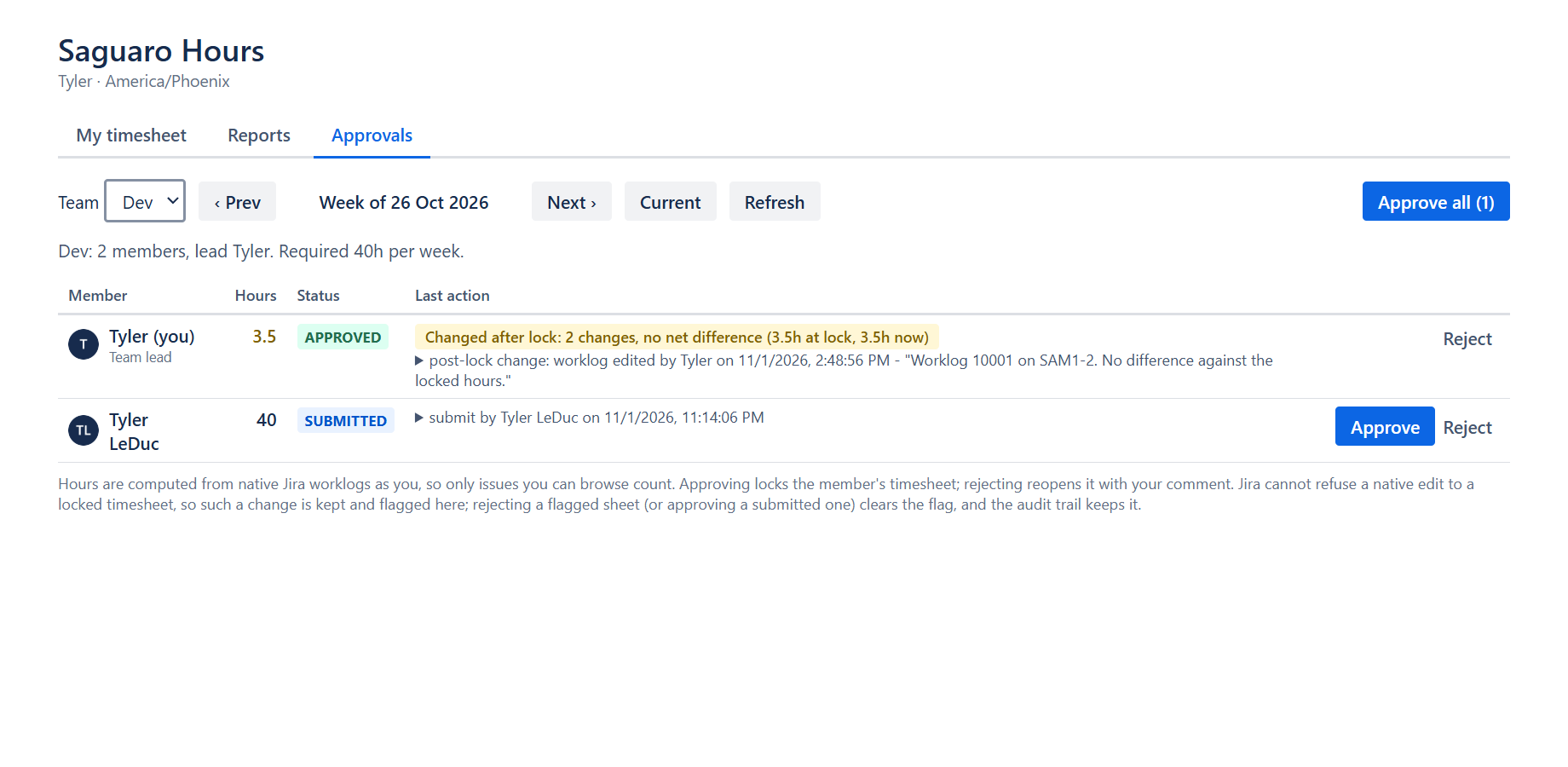
Lead approval with an audit trail
Team leads approve a sheet, reject it with a comment, or approve every submitted sheet in the team at once. Approved days stay locked in the app. If someone edits a locked day in Jira itself, the sheet is flagged with the hours before and after. Each step goes into an audit trail.
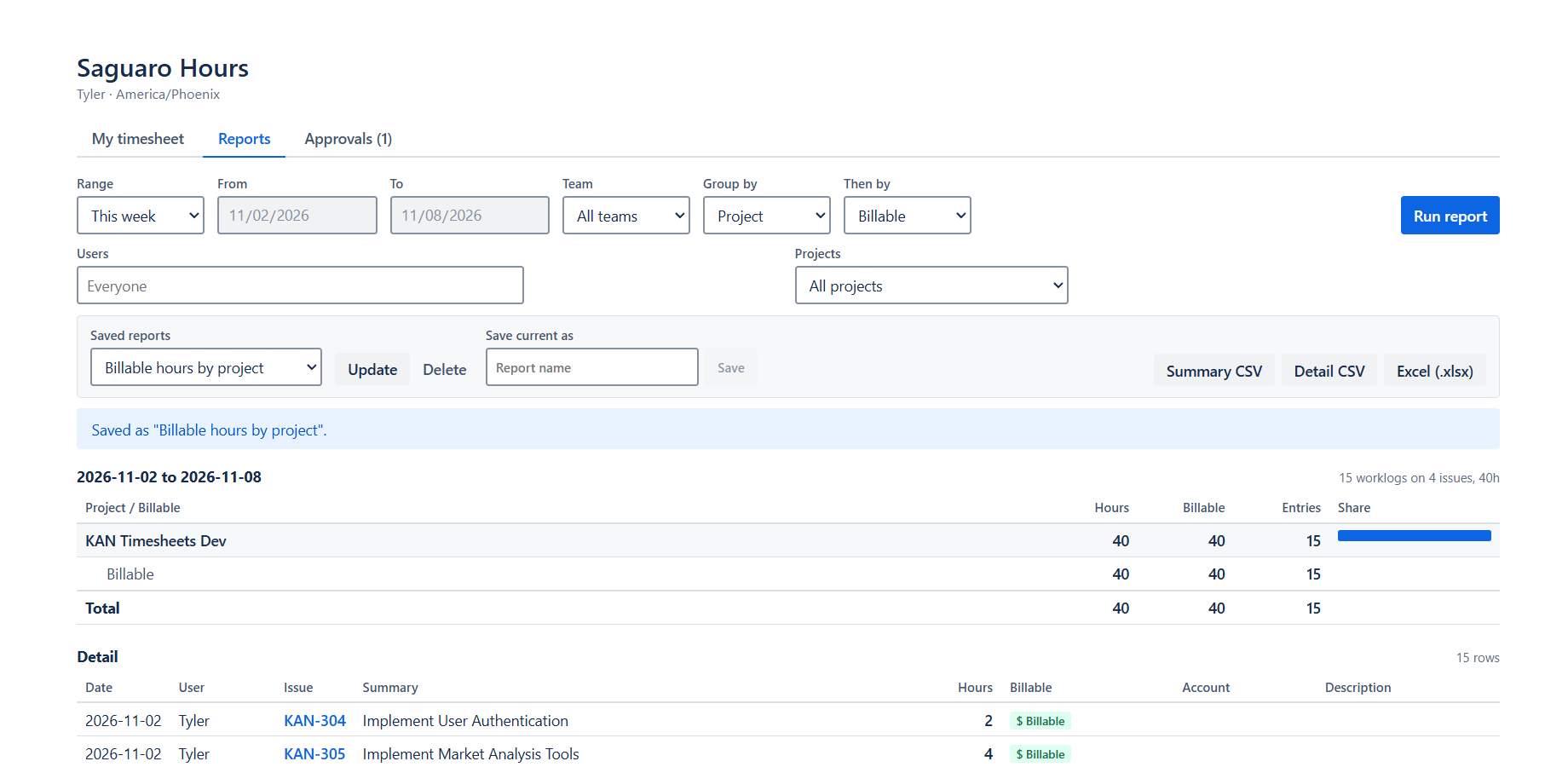
Billable reports with CSV and Excel export
Group hours by user, team, project, epic, issue type, label, billable or any attribute you define, with a second grouping if you want one. Save a report to run again. Export Summary CSV, Detail CSV or Excel (.xlsx).
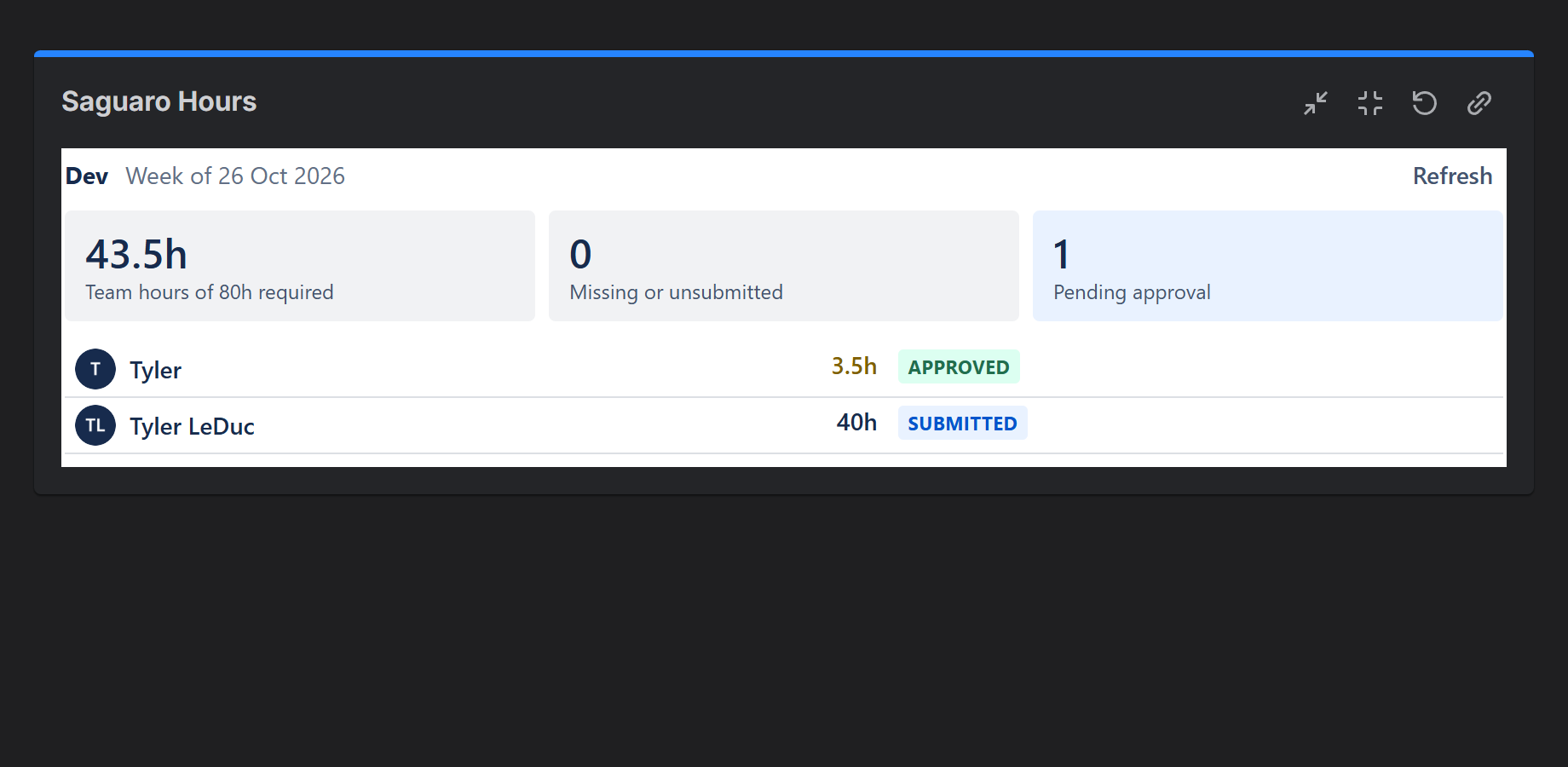
A dashboard gadget per team
The gadget shows the team's hours this period, who has not submitted, and how many approvals are waiting.
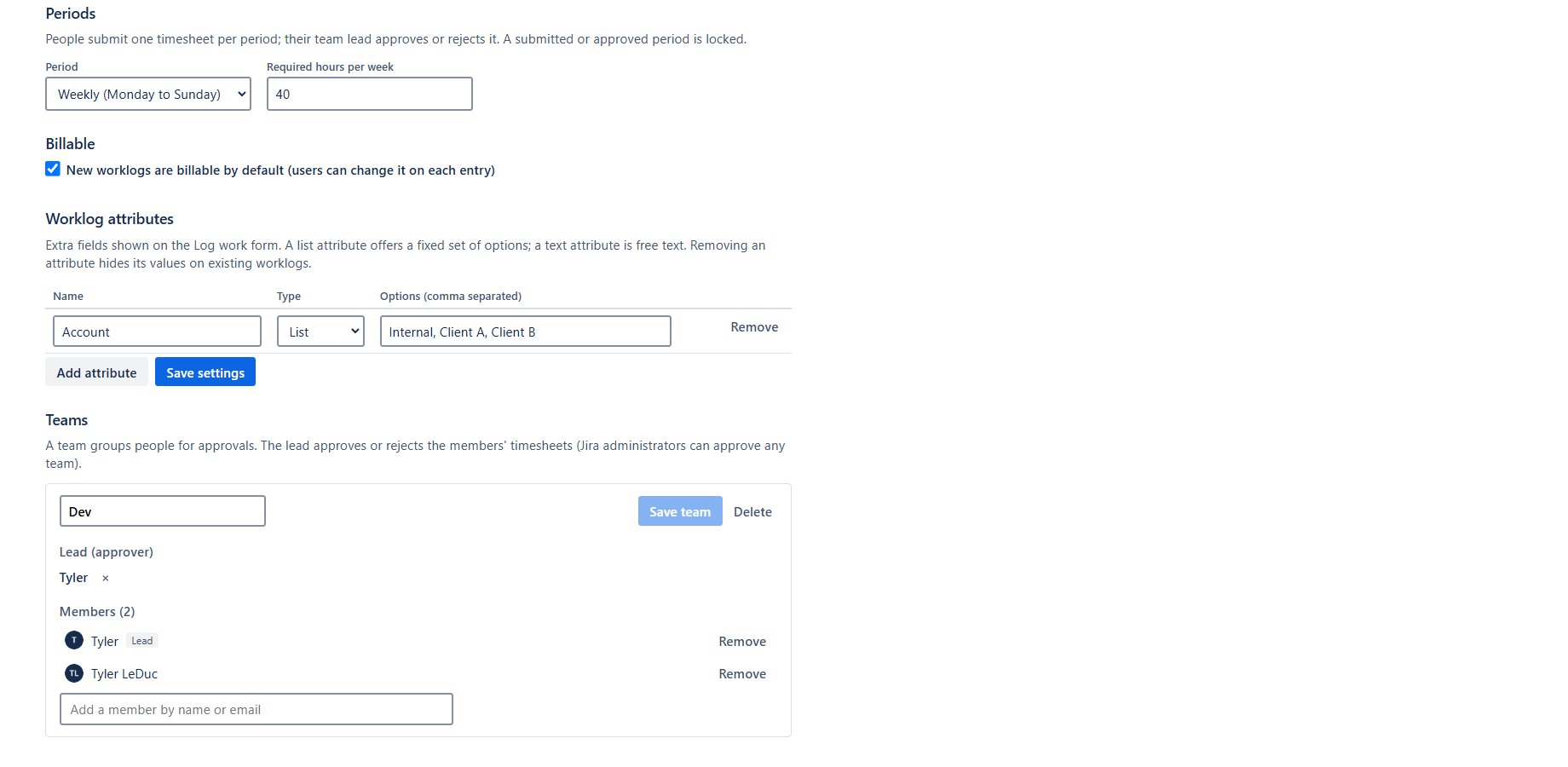
Admin settings and teams
A Jira administrator sets the period type, the required hours per week, the billable default and custom attributes, then builds teams with a lead and members. The admin page can also download all data the app stores.
Your data stays in Atlassian
- Saguaro Hours is built on Atlassian Forge. Atlassian hosts its code, and its data is kept in Atlassian-hosted storage.
- The app declares no outside network access, so it makes no calls to outside servers.
- Worklogs are stored by Jira, not by the app. If you uninstall, your worklogs stay in Jira.
- Details: Security and Privacy.
Not in Saguaro Hours
Capacity planning, invoices, calendar sync, a public API, and Slack or mobile apps are not part of Saguaro Hours.
Newer than the build under review
These are built and tested on our development site as of 2026-11-04 but are not in the older build under Marketplace review. We plan to release them to the live app on the day the listing is approved: a start and stop timer, hourly rates with cost and revenue in reports and a printable billing summary, email reminders, per-team periods, a backup approver, hours per weekday for each person with holidays and days off, reports by any Jira field or JQL, estimate vs. logged, and CSV and calendar (.ics) import of your own time.
Moving from Tempo
The admin page imports Tempo's Logged Time CSV export, keeping billable flags, accounts and work attributes. See the move from Tempo guide.
Guides
- How to get a worklog report in Jira Cloud
- Weekly timesheets in Jira, with a free Excel template
- Jira timesheet approval
- Tracking billable hours in Jira
- CapEx and OpEx time tracking in Jira
- How to export Tempo worklogs to CSV
- Tempo Timesheets pricing in 2026
- Why Jira shows "Timesheets by Tempo" as the worklog author
- Jira time tracking apps compared
- Connect end of support and Jira time tracking apps
- How Jira app pricing works
Get started
The listing is waiting for Atlassian's approval. To get one email the day it is live, email support@everformat.com with the subject "Saguaro launch".
Read the documentation or the support page.